Many parents today feel overwhelmed by the responsibility of monitoring their children’s digital experiences. Parental controls can be a helpful tool for providing a gentler on-ramp to the real safety and privacy risks children face online. How can parents use them effectively without damaging trust or interfering with opportunities for children to build independence and digital skills?
Children and Screens held the #AskTheExperts webinar “The Smart Parent’s Guide to Parental Controls” on Tuesday, March 31, 2026, featuring a panel of digital parenting experts. Building on the previous webinar on “Screen Smarts,” this session focused on practical steps families can take to help children navigate increasing access to the digital world. The panel discussed which types of parental control apps and settings are most effective, what parents should know about their strengths and limitations, and how to incorporate them into a thoughtful parenting approach that protects child well-being and builds healthy autonomy.




Resources Mentioned During the Webinar
- AAP-AACAP-CHA Declaration of a National Emergency in Child and Adolescent Mental Health (Report)
- Internet Matters (Website)
- Internet Matters Step-by-Step Parental Control Guides (Toolkit/Parent Guide)
- Internet Matters ABC Online Safety Checklist (Toolkit/Parent Guide)
- Internet Matters Age Guides (Toolkit/Parent Guide)
- Better Screen Time (Website)
- Creating a Tech-Healthy Family (Book)
- Better Screen Time Recommended Resources (Website)
- Better Screen Time Quick Guide to Creating a Family Technology Plan (Toolkit/Parent Guide)
- Better Screen Time: Is your teen ready for a personal device? (Toolkit/Parent Guide)
- Developmental trajectories of parental mediation across early and middle childhood. (Scholarly Article)
- Parental Monitoring and Information Management During Adolescence (Scholarly Article)
00:00:00 – Introductions by Executive Director of Children and Screens Kris Perry.
00:02:01 – Ine Beyens on parental monitoring and mediation in the digital age.
00:14:20 – Moderator follow-up: How can parents strike a balance between child autonomy and parental control?
00:17:11 – Moderator Paul Weigle on parental controls and the challenges of digital parenting.
00:32:11 – Sheena Peckham on the landscape of parental control options available.
00:43:42 – Moderator follow-up: How should parents introduce new parental controls when children are used to not having them?
00:47:29 – Andrea Davis on strategies for incorporating parental controls for children’s safety, and maintaining a strong parent-child relationship.
01:03:43 – Moderator follow-up: How can parents know when children are circumventing parental controls and how to respond when that happens?
01:05:25 – The panel addresses questions from the audience.
01:05:38 – Q&A: How can families with different household rules or with kids of different ages navigate parental controls?
01:08:30 – Q&A: What are some specific examples of parental supportive strategies, and what language to use?
01:11:16 – Q&A: How can parents respond when their teen is guarded or does not open up easily about their online experiences?
01:13:38 – Q&A: Should parents of neurodiverse children use different strategies due to different needs around technology?
01:17:00 – Q&A: What are some controls or strategies for parents’ own phone use, so that they can better model healthy digital behaviors for their children?
01:20:36 – Q&A: What is some advice for parents who feel anxiety and fear about not being able to control everything?
01:22:18 – Wrap-up with Children and Screens’ Executive Director Kris Perry.
[Kris Perry]: Good afternoon and welcome to today’s #AskTheExperts webinar: The Smart Parent’s Guide to Parental Controls. I’m Kris Perry, executive director of Children and Screens. Thank you for joining us. Many parents today feel overwhelmed by the responsibility of monitoring their children’s digital experiences. As children gain greater access to online platforms, families are navigating real questions about safety, privacy and development, often without clear guidance. Parental controls can be a helpful tool, offering a gentler onramp to managing some of the many risks children face online. But they also raise important questions. How can parents use these tools effectively without damaging trust or limiting opportunities for children to build independence and digital skills? Today’s webinar is designed to help answer questions like these. Building on our most recent webinar, Screen Smarts, this conversation focuses on practical steps families can take to help children navigate increasing access to the digital world. Now, I’m delighted to introduce you to our moderator, Dr. Paul Weigle. Dr. Weigle is associate medical director at Natchuang Hospital and associate professor of psychiatry at University of Connecticut School of Medicine. For more than 20 years, he has studied, taught, and written about the effects of screen media on youth mental health. He is also a Distinguished Fellow of the American Academy of Child and Adolescent Psychiatry, and a long standing member of the Children’s Screens National Scientific Advisory Board. Welcome, Paul.
I might suggest that we move on to the first presenter, given that there is some technical difficulties, Paul. And then, if possible, we’ll come back to you at the end. Why don’t we start with Dr. Beyens, and we’ll circle back with you shortly.
[Dr. Ine Beyens]: Sounds good. Okay, I’ll start with my talk then. Hi, everyone. I’m Ine Beyens. I’m an assistant professor at the University of Amsterdam in the Amsterdam School of Communication Research, in the Center for Children, Adolescents and Media–where we study the impact of digital media on children and adolescents. And throughout my work, I’ve also been looking at how parents try to manage their children’s and their teens’ media use, and what kind of parental control–but also other digital parenting strategies–work. So thank you so much to Children and Screens for inviting me to give a talk today about this topic. And in my talk, I will focus on parental control as part of a broader set of digital parenting strategies. I will zoom in on two core concepts of digital parenting. That’s parental mediation and parental monitoring, and then show where parental control comes in. And I will also discuss what research shows about the effectiveness of parental control. So my aim is to show what different strategies look like, how they change across development, and also what we know about their potential effectiveness. So the literature on digital parenting has a long tradition of investigating how parents regulate their children’s media use. And in the 1970s and 1980s, researchers began to employ the concept of parental mediation to refer to the strategies that parents use to regulate children’s media use, television at that time, and also some gaming studies. So parental mediation reflects parents ability to mediate or intervene in children’s media use. And researchers distinguished three mediation strategies. The first one is restrictive mediation, which is about limiting the time spent using media and media content. And this is a parental control aspect of mediation. So it involves parents setting rules and restrictions to regulate and limit their children’s media use. For example, parents may forbid their children to use their smartphones or social media during dinner or when making homework, or for example–limiting or forbidding the use of the phone in the bedroom; or they may not want their children to use their smartphones in spaces at home where they can’t observe it. But it also involves parents having their kids play only age appropriate games, for example. But there’s more than restrictive mediation and parental control. There’s also active mediation, which involves talking with children about media content, asking and explaining what they see, how they feel, but also helping them evaluate and interpret the media content. And then there’s also co-use or co-viewing which involves using media together without discussing the content. So for example, it’s watching a TV show together or gaming side by side without much discussion. And in practice we see that most parents combine these strategies. On this graph, for example, you can see that both restrictive mediation and active mediation are being used by parents in early and middle childhood. So the bottom line reflects the amount of restrictive mediation. While the upper two lines reflect the amount of active mediation, where we make a distinction between negative active mediation–which means that parents criticize certain content–and on the other hand, positive active mediation–where parents endorse certain content. So what we see is across childhood that children experience less restrictive mediation than active mediation. But in this study, we followed families over time, and we found that mediation is not static, but it changes as children grow older. So on this graph, you see that mediation strategies change across early and middle childhood. When you look at the left of this graph, you see that parents’ mediation efforts increase, across early childhood–so ages 3 to 6–then peak at the onset of middle childhood–around age 7 to 9–before slowly declining again as children get older and become more independent, seek more autonomy, which of course continues into adolescence. So this trend that you see here suggests that parents adapt their mediation efforts to match their child’s developmental level, but also their changing media preferences and susceptibility to media effects. And this trend also continues into adolescence. But in particular for adolescents, it also asks for more than parental mediation, and that’s parental monitoring. In fact, research on parental mediation has long focused on children’s and adolescents’ engagement with television viewing. But of course, with the emergence and the widespread use of smartphones and social media, parental mediation has proven to be a less suitable idea, because adolescents now access and share media content anytime, anywhere, and with anyone. And this largely happens outside the purview of their parents. So this has really changed the landscape also for parents. So in the past, parents could easily observe their children’s media use, what they were seeing on the family’s TV screen and also intervene. But of course, this became very challenging. And nowadays it’s hardly possible for parents to be fully aware of what their children are doing on their screens. So instead of trying to mediate or intervene in your children’s media use, parents may try to stay informed about it and keep track of what their kids are doing and seeing on their screens. So that brings us to monitoring the strategies of parents’ use to stay informed about their children’s media use. Parental control can also be situated in this monitoring literature. When we think about parental control as parents’ demands for their children to provide information about their media use. So think, for example, about adolescents having to tell their parents what they are doing on social media or whom they are chatting with. But very important here is that parental control is just one type of monitoring, one way for parents to keep track of their children’s media use. So it’s part of a broader landscape that also involves parental surveillance, where parents check their adolescents’ smartphone and social media, for example. For example, inspecting their kids’ text messages, checking their social media contacts, tracking their kids smartphone use, and so on. And this may, of course, be a very convenient way for parents to obtain information about what their kids are doing online. It’s beneficial for catching risky situations early, but there are also potential downsides to this. It can be an intrusive form of monitoring that violates adolescents’ privacy, undermines teens’ trust, and it may encourage secrecy so that your child does not want to share anymore. And it may also cause conflicts among parents and their children in the end. But there’s also a third type of monitoring that parents can use to keep track about their children’s media use. And that’s parental solicitation, which involves parents’ efforts to actively seek information about their adolescents’ digital media use by asking questions–of what their children are doing, what media. So very much like other aspects of parenting where parental solicitation is an important strategy for parents to obtain knowledge about their non-media activities–their whereabouts, their friendships–parental solicitation of media related information is also a means to keep track of what adolescents do see and post on their smartphones and social media. So you can see that parental control is just one piece of monitoring. But I’ll zoom in on control here because it’s the strategy that gets a lot of attention, but also controversy. So what do we know about how effective parental control is? Well, there are studies showing that teens whose parents have more control over the time they spent using social media, spent less time browsing social media. But at the same time, there’s also research showing that parental control might be counterproductive in preventing smartphone addiction, where teens whose parents have more restrictions have more symptoms of addictive smartphone use. But it’s very important to be careful here when interpreting these findings. Because this research is largely based on correlational data. So the data might also indicate that smartphone addiction induced worries among their parents leaving their parents to use more parental control. So parental controls can help with certain behaviors. But they’re not a magic bullet. And in some cases, they may backfire, especially if they are experienced as harsh or controlling. And that brings me to the style of control, because research has increasingly showed that the effectiveness of parental control depends on the style that parents use to control their children’s media use. And four styles have been identified in the literature. The first one is autonomy supportive control, which means that you take into account your child’s perspective, provide a developmentally appropriate rationale for the rules and restrictions that you’re setting. And this helps adolescents to internalize media rules and regulations. There’s also autonomy-restrictive or controlling styles of monitoring. And by using a strict and harsh way of setting rules and restrictions without respecting adolescent’s perspective. So autonomy-restrictive control often leads to psychological reactance and hinders the internalization of rules and regulations among children. A third style is an inconsistent style by randomly varying restrictions and regulations–being restrictive at certain moments, but not at other moments. And then there is a permissive style by setting few or no restrictions or rules. So the same parental control, for example, a time limit can feel very different for a kid depending on the style the parents use. Parental control used in an autonomy-supportive way with transparency and dialog differs greatly from strict and harsh controls, where children’s autonomy is really restricted. So to conclude, effective digital parenting involves a combination of strategies provided in a developmentally sensitive and autonomy supportive way. It’s about setting limits, talking with your kids, and co-using media with your kids. But it’s also about staying informed too–asking questions. So to conclude, parental control is useful as part of this mix, but it should be seen as part of a broader digital parenting approach, I think. And whether it’s effective depends on the style with which parents use control. So for parents, it’s important to adapt strategies to the child’s age, prioritize open communication and trust, use technical tools as support tools, but not as a substitute for sincere parent child communication. So ultimately, digital parenting is less about the parental control apps that you install and more about the supportive autonomy respective relationship that you build around media use. And that brings me to the end of my presentation. Thanks so much for your attention.
[Dr. Paul Weigle]: Thank you, Dr. Beyens. We have a number of questions for you here, and I’d like to pose one to you. A lot of parents have expressed feeling like they are–need to strike a balance between allowing kids the autonomy to experiment and fail, and explore on their own, and sort of using and controlling and keeping their kids safe. What can you tell us about how parents can strike that balance and how child maturity plays a role in that?
[Dr. Ine Beyens]: Yeah. Thank you so much, Paul, for that question. I think it’s a–it’s a great question because indeed, it points at the balance between trying to control your kids’ media use, but also offering autonomy to your kids. So I think it’s a really important question to address. And I think about this as autonomy-supportive control. So you still have boundaries, but you set and enforce them in a way that invites collaboration. So I think in practice it might mean three things. So first you co-create rules, for example, you sit down and you say, “well, we need some agreements about a phone,” for example, “or about social media platforms you engage with. And what do you think is reasonable for during the week and on the weekends?” So as a parent, you still have a final say, but your kids have a voice. And a second thing I think about is that you’re very clear about the why behind each rule. So, for example, do not just say, “no phone in the bedroom because I say so,” but explain why. For example, “no phones in a bedroom at night because sleep is important,” or “we don’t want phones at a table because meal times are for talking,” for example. So that’s the autonomy, supportive style I talked about. And then, finally as a third thing, I think it’s important to combine technical controls with trust, but also with review moments. So checking in with your kids. So you might set app limits, for example, or downtime. But you’re transparent about what you’re doing, and what you will and won’t look at, with your kids. And for example, you can say, “okay, if this goes well for a couple of months, we can relax some of these settings,” so that you also respect the autonomy, and the growing autonomy of your kids. So in this way, I think you balance between controlling and offering enough freedom and autonomy for your kids, so that they also learn, themselves, how to regulate their own media use.
[Dr. Paul Weigle]: Great. Thank you. And we have a number of other questions for you, but I trust you’ll stick around to our general Q&A portion at the conclusion of this program. And at this time, I’d like to shift and, and offer a belated introduction, or a belated perspective–my own perspective on the importance and relevance of apps–I’m sorry, of parental controls. So next slide, please. So, Sean Parker was the first president of Facebook, and he said the thought process that went into building social media was, “how do we consume as much of your time and conscious attention as possible?” But of course, this doesn’t just apply to Facebook. It doesn’t just apply to social media. It applies to video streaming sites, it applies to video games. And I’d say on the whole, the tech industry has been remarkably successful in this goal, especially with regard to young people. Next slide. So in my career–25 years as a child and adolescent psychiatrist–I’ve sort of borne witness to this remarkable change in the lives of my patients and the lives of young people. And it has everything to do with how much time they’re spending on screens. And research confirms that during this time, the amount of time that kids are spending on screens for entertainment has roughly doubled. So the latest CDC data indicates an average about nine hours a day. And this isn’t for schoolwork, just for entertainment, and nine hours a day–every day–over the course of a year, that’s more than twice the amount of time kids are spending in school. In fact, more time than they’re engaging in any activity, except maybe sleep. And this has really transformed their lives, for better and for worse. Next slide. So, one of the real remarkable positive changes that’s happened due to this, child and adolescents on screens is that our kids are safer than they have ever been. And we don’t have to spend so much time worrying about their safety and supervising them in terms of physical safety, because they’re not out doing dangerous stuff with other kids. They’re at home, they’re on the couch, they’re in the bedroom, they’re on screens, and they’re physically safe. Next slide. And the research really bears this out in multiple ways. This is teen deaths and auto accidents, and we can see that–that following the year 2000, more than cut in half among young people. Of course, young people are just not in cars as much–they’re delaying getting their license, and so they’re safer in that way. Next slide. We’re also seeing remarkable decreases in hospitalizations for accidental injury. And we can go to–yeah that’s it–and we can see the dark black line is among kids. That’s right–the dark black line is among kids. And we can see that hospitalization for accidental injury have not gone down in middle age or older people, but have been cut in half among boys and girls. And again, that’s because kids aren’t out doing the dumb stuff that might get them hurt in the past. Again, they’re physically safe. Next slide. We’re also seeing remarkable decreases in violence among youth. This is youth arrested for violent crimes. And really with the rise of screen media in their lives, they might be shooting each other on Fortnite or in Call of Duty, but less and less in the real world. Again, kids are physically safer than ever. Next slide. We’ve also–I don’t have a slide for this–we’ve seen remarkable decreases in drug and alcohol use. So kids really are physically safer in almost every way than they’ve ever been. And yet this benefit has come at a cost. And a cost is to their mental health. And there’s a number of psychological harms that come from online engagement, especially excessive online engagement. Next slide. A great deal of this is mediated by sleep. Sleep is so important. Adequate sleep is strongly protective for mental health, for depression, for anxiety and so important in learning. And studies show that kids are getting less sleep on most nights than they ever have before. They want to stay up and, and they’re up at night often engaging in screen media. Next slide. And it’s harder than ever for parents to control, to protect their kids from inappropriate content on screens–such as this Roblox game, the Slaying of of Sandy Hook–and very often parents will constantly say to me, “oh, little Johnny, he will never play that, you know, Five Nights at Freddy’s or that Grand Theft Auto,” and little Johnny sitting next to them and looks up from his iPad and says, “mom, that’s what I’m playing right now.” And it’s just so hard for parents to know what their kids are doing and to protect their kids from inappropriate content online. Next slide. And speaking of inappropriate content, young people are engaging with pornography at unprecedented rates. It’s not a question of if with kids, it’s a question of when. And pornography is where kids are going to learn about sex and relationships. And of course, not everything they’re learning is healthy or appropriate. Next slide. Yeah. People will be cruel online in ways that they would not in person. This is kids and adults, but especially kids and the reason for this–one of the biggest reasons is they can get away with it online. There’s no adults supervising them. And they’re not as likely to face consequences from the person that they offend. So online cruelty is very common. Next slide. The ultimate expression of this is cyberbullying–which is not not typical–but unfortunately, it’s not rare either and can be just devastating in the lives of young people or teens when they’re humiliated online in front of everyone they know and often precipitates a psychiatric crisis. Next slide. What is perhaps universal among young people or close to it is the effects of screen media. And in particular, looking at curated and altered social media profiles and videos. This has a strong and reproducible effect on self-esteem, in particular how kids feel, about their physical appearance. And this especially affects girls. And, so those who spend more time on social media looking at these images are more likely, for example, to endorse eating disordered behaviors. Next slide. And a lot of kids that I see, they’ll actively engage in toxic content online. So what I mean is online communities, which support or instruct kids on how to engage in eating disorder behaviors or self-harm, or even in some cases, suicide. Next slide. And not as common but not rare either unfortunately, is sexual exploitation. And this mostly comes up in my practice in the form of a young girl, usually socially, relatively isolated, who becomes connected with an online predator, an older man, who takes advantage of her. And of course, this can be terribly damaging. Next slide. And perhaps–perhaps the most common that’s affecting almost all kids is the social deprivation that results from nine hours a day on average looking at screens. There is socializing that happens online, but it is not the same as socializing in person. It doesn’t have the protective–It doesn’t protect against depression, anxiety in the same way. And studies show that young kids are getting together and socializing in person less than they ever have before. Next slide. And even when kids are together, they often–the screens kind of disconnect them from one another. And we’re seeing unprecedented rates of young people, teens saying that they feel very lonely even when they’re at school, even when they are physically together. Next slide. And with all these harms, we’re seeing, again, an unprecedented increase in rates of depression among teens. And this is not true of adults–this is true of teens and to some degree, young adults, more than doubling in both boys and girls. Next slide. Here you can see the blue slide has to do with young adults. The other lines are older adults. And you can see that young people are the most susceptible to this–to these mental health effects–which have been brought on with the age of a screen media. And, we’ve seen remarkable increases–more than doubling in some age categories–of anxiety, especially social anxiety. Next slide. We’re also seeing increases in presentation of self-harm in kids. And especially the youngest kids. The bottom line is girls age 10 to 14, which has tripled in recent years. Next slide. And most tragically, we are also seeing increases in rates of teen suicide as well. Next slide. And this has led my organization, the American Academy of Child and Adolescent Psychiatry, to issue a national emergency or declaring a national emergency in the mental health of young people. And with reading books kind of going by the wayside–and with all these distractions–we’re also seeing decreases in academic achievement across the country. Next slide. So, our goal as parents is for our kids to have safe interactions online. Don’t be–engaging in age appropriate content, hopefully that which is edifying or educational. And content that prioritizes–that and sorry and for kids to moderate their screen media use so that it allows adequate time for schoolwork, getting that done, doing some chores maybe, time to spend with family, time to socialize with friends in person, and allows adequate time for sleep. Next slide. However, this is easier said than done, right? These platforms–video games and social media–are so engaging and they’re so powerful that we parents very often have a hard time moderating and controlling our own use. And when we expect kids to, with their diminished self-control and their diminished understanding of the importance of healthy and appropriate online habits and experiences–it’s just not reasonable to expect kids to moderate their own use. When we stack the self-control of your average kid up against the power of the tech industry, it’s really just not a fair fight. Next slide. So many parents, of course, do a great majority of parents do, take steps to try to control and moderate their kids screen media use, but kids don’t typically appreciate it. In fact, the kids who have the most problematic or addictive screen media habits are typically the ones who are going to fight it the most. And so, and this may be directly like having a big tantrum when it’s time to come off their video games, or it may be more discreet like sneaking on phones when their parents think that they’re sleeping. But studies have shown time and time again that so many parents feel like they’re in a constant battle with their children in order to try to moderate or make their online habits safe. And of course, this is not the relationship that we want to have with our kids, but this is where we find ourselves, the majority of us. Next slide. So enter parental controls. And as Kris mentioned, parental controls are not a replacement for parental supervision, but they have the promise of being a tool to help us do a better job of supervising the interactions that our kids are having online and what they’re doing and when they’re doing it–of setting limits, daily allotment of time online and downtimes like the middle of the night when kids can’t go online at all. And certainly the–where parents don’t want to find themselves is actually like fighting with the kid and trying to take away the video game controller or the iPhone. And so theoretically, these can help with that. And parental controls also have the possibility of restricting inappropriate content. Next slide. But many parents that I see don’t know where to begin. They really want to help their kids have a better, a healthier, online habits and experiences. And they know parental controls and they have a sense could be helpful, but they don’t know where to start. They don’t know which controls to use, how to set them up. How do they monitor over time and adjust them? Will their kids get around them, and if so, how are they going to know about that? And how is it gonna affect the parent child relationship and ultimately how is it going to support the goal of raising healthy kids in a digital world, kids that can moderate their own screen use? Next slide. So, we did already hear from Dr. Beyens about incorporating–incorporating parental controls into parenting. But we are going to hear, later on from Andrea Davis about which tools and settings we should specifically use. But before that, we are going to be able to hear from Sheena Peckham, who’s an expert on protecting kids’ safety and privacy online. Sheena, is the content lead of Internet Matters, which is a not-for-profit organization with the goal of keeping kids safe online. She has a background in education as well as content creation, and she works with online safety experts to provide timely, relevant, and research based advice for parents, caretakers, teachers and young people. Welcome, Sheena.
[Sheena Peckham]: Thank you, Paul. Good afternoon everybody. It’s evening for me, but good afternoon. So as Paul mentioned, Internet Matters is a not-for-profit organization based in the United Kingdom. And we create a lot of resources for parents. One of a big piece of work that we do is our parental controls guide. So I’ll share a link to that at the end of my little section here. But a lot of the resources we create are based in the research we do with parents and children to make sure that they’re relevant and timely. So hopefully if you explore those resources a little bit later, you’ll see, kind of that shining through a little bit, but on to parental controls. So at the start of this year, we at Internet Matters ran an awareness campaign to help parents think about parental controls as kind of layers as there isn’t just one kind of silver bullet solution to your parental control needs. Instead, it’s helpful to think in layers as in you can build on the controls that you set, perhaps starting with the most basic network controls and then building on to the more unfortunately complicated, specific apps and platforms controls. So I’m just going to dive into those three layers that you see on screen and talk a little bit about what they can do and hopefully inspire you to start using those if you haven’t done so already. So the first layer is your network controls. And these are your internet connection–so your broadband providers on the go. This would be the mobile network providers. So if your child does have a mobile phone, it’s the network that they’re connected to. Are there any safety settings that you could set? The one downside of the mobile network is as soon as they connect to a different Wi-Fi provider, those controls aren’t really effective, but at home with your Wi-Fi, that’s a really good place to start, because any device that connects to your Wi-Fi is then protected automatically. So if you’re getting a new device for your child or even, a guest is coming over, they can automatically benefit from those baseline safety settings. Generally, this means being able to block certain genres of content on your Wi-Fi. It can also mean blocking specific websites that you don’t want your child visiting or their friends visiting. And some providers might offer additional settings. How you access these controls is generally the same as how you would access any other account setting. So if your provider has an app or if you can log into your account on like a website, usually you’ll be able to find parental controls that way. If you take a look today and you can’t find them, the best thing to do is to call on customer service, and they can usually point you in the right direction. And then if it turns out they don’t really have robust parental controls, then that’s where the next two layers might come in a little bit more. So layer two is device controls. And these are controls that apply to your child’s phone, their computer, laptop, tablet, games console, whatever kind of device they might be using. In many cases, these are available in a combination directly on your child’s device alongside, usually a free app that you can use. But one thing to keep in mind is that lesser known brands might have fewer options, so you might have to rely solely on an app. With device controls, you can generally limit access to specific apps and websites, as well as apps within app stores that they can download or games that they can buy in game stores. So you can set kind of age limits around that. Device controls also tend to have screen time controls you can use for apps or the device as a whole. And it will generally give you an overview of how your child uses the device, and where they spend the most time. And then as Dr. Beyens mentioned, that kind of thing can lead to those really important conversations about their online experiences. The good news is a lot of these controls are free. So if you’re an Apple family, using Apple Family Sharing is a good option. If you’re an Android family, Google Family Link is a good option. And I think I saw some people mention that they use Google Family Link. If your family is kind of mixed devices, that’s where a third party app might have to come into play. And sometimes those are at a cost. So you–it’s a good idea to just kind of investigate what your needs might be. And then if you’re setting controls on the games console, there’s usually a secondary app that you need to get, Xbox Family, PlayStation Family, or, the really well named Nintendo Switch Parental Controls App. So those are all three, and the best part about device controls is after the initial setup–where you need access to your child’s device–usually the rest is just from your own device, so you don’t have to keep going back into those devices, which makes it a bit easier. And then finally, in-app controls give you a lot more platform specific powers, such as who can contact your child, profile privacy, managing content and experiences specific to the app, spending restrictions, curating recommended content, all that good stuff. Depending on the app, there might be more or less features. Generally, the more popular platforms like Roblox, TikTok, Instagram, Fortnite–they’re going to have more robust parental controls just because they’re more popular and are generally under more pressure from the public and government to have more safety features. Whereas if it’s a lesser known platform, they might not face those same pressures. So just something to keep in mind. When looking for those kinds of controls, you can search for the obvious parental controls, but also anything that mentions parent or family. They don’t always use the same kind of name. So just looking for those keywords can help you find those settings. I would say that in-app controls are probably the most overwhelming. So start small, dive into the app your child uses most–or the one that you’re most worried about–and spend time just familiarizing yourself with that app, setting up those parental controls. And then taking a break and coming back to the next one later so you don’t feel like parental controls are so daunting; because, they are and they can be overwhelming, but you want to make it as easy on yourself as possible. As kind of touched on, parental controls are a great thing, but they act like a safety net and can’t do everything. So they can’t really control your child coming across misleading content or trying to get around parental controls or trying to seek harmful things out out of curiosity. So you want to also bring in those conversations, as was mentioned earlier. That can help you stay on top of what they’re doing–help you notice if something is a little bit off–but more importantly, it shows your child that you’re willing to listen and learn or that you know what you’re talking about. So if something does go wrong, they’re more likely to come to you and ask questions or tell you if something goes wrong rather than keeping it to himself. So just to kind of end my contribution, I just want to share some advice on setting controls and having conversations by age. So, we see in the research and Dr. Beyens mentioned as well that parents tend to use fewer parental controls as children get into their teenage years, and maybe become less involved as well. But I’d argue that while the parental controls will change, you should still be maybe more involved because there’s actually more factors to consider. So starting at the under five age group, you want to start online safety early. So if your child is in preschool, at this age you can still start having these conversations and setting these controls, leaving maximum controls, turning off communication, any commenting features, any autoplay or recommendations, and you’re curating content and setting kind of strict screen time limits cause you’re in the total control. But here you can start talking to them about oh how did that video make you feel? How is that game, those kinds of small conversations–and role play kind of what they could do if something goes wrong, such as talking to you. And then as children start to go into school, you’ll want to still have a lot of strict controls, but change the way you think about it a little bit. So if they’re playing games with friends, for example, maybe your no communication control goes to friends only communication if the platform allows that. So you can start to think about the ways that they might connect with others, whether that’s offline or online. You can start chatting about issues as well, their experiences, the actions they can take to protect themselves. Conversations at this age are really good to start building the habit of open communication. And then as your child is going towards teenagedom , maybe engaging in more social spaces, your control–your parental controls–will become moderate in that you want to give them more of a voice and give them more agency in what controls are set. So some parental controls you might be willing to say, “hey, what is your opinion? Can we kind of discuss this a little bit?” Whereas others such as contact from strangers, you might want to be more strict on that. So just looking at opportunities to involve them a little bit more. And at this age, also talking about the tougher issues. So talking about pornography, talking about sharing nudes and exploitation and abuse and giving a name to it. And like identifying the behaviors so that they know if they come across someone who’s asking these questions or doing these things, then they know that’s kind of a red flag and that they should talk to you or block that person or whatever it might be. And then finally is the 14 plus age group where you might have minimal control but not no control. You still want to have some sort of part to play in the parental controls. So at this age, it’s going to become a lot more collaborative though. You’re going to maybe set up supervision accounts like family pairing on TikTok, for example, where you can see what they’re doing, but maybe give them the power to set controls. And then you can check in a little bit, sorry, you can check in a little bit on how the controls they’re setting for themselves are working. Do they need your support or do they need a little bit more space? But just keeping those conversations going and making it something that is just an open conversation kind of continuously. So–but these are a few resources that you might find helpful. First, the step by step parental control guides I mentioned, they come with–yeah–step by step, but also images to help you set those devices, apps, and networks up. Next is our ABC Online Safety Checklist. So this is more a place to start when it comes to children’s online safety organized by age. It looks at activating parental controls, balancing screen time, and then checking in and chatting with your child about their online lives. And then our age guides, which are organized into those four age groups like I showed–which talks about just issues they might face at this age, what parental controls are really good to set at this age, and even some recommended apps. So with that, I will leave you to explore those. And please do share any feedback that you have. Thank you.
[Dr. Paul Weigle]: Thank you Sheena, that’s a remarkable. I look forward to checking out those, those guides, for my patients. So, thank you. And we do have a number of questions for you, but I’d like to start with one. Ideally, of course, these controls are in place for kids before they start engaging in tech, or when they receive a new device. But a lot of us parents don’t find ourselves in that situation. And we find ourselves in the, having to sort of introduce parental controls on kids who are used to not having them. So, how should parents go about it when that is the case, of introducing new parental controls for kids who previously did not have them?
[Sheena Peckham]: Yeah, I think the key here is not trying to do too much at once. So if you’re say coming from a background where no parental controls have been set whatsoever, it’s really important not to just set all of the controls suddenly and put like massive restrictions on your child, because that’s where the conflict is going to come from, and the pushback is going to come from, especially with older children who are maybe, pre-teen/teenage years. They want to have more of a voice. And if they haven’t had that kind of foundation of conversation and such throughout their digital life, it’s going to be a lot more difficult. So for older children, it’s also a good idea to bring it up to them. Say, “you know, I’ve, I’m really concerned about X, Y and Z. I want to start setting these controls. Now, what do you think about this? What would help make your life a little bit easier?” And really just like approaching it from a, you have curiosity and just getting their point of view, and you can start there, that’s a starting point to say, “okay, so these are the controls that we’ve agreed on, we’ll set them.” Then you test and learn, see how it’s going. If you think, “oh, this actually hasn’t really made an impact,” again, going to those conversations and coming back to it. For younger children, it might just be you’re setting the controls because you have a little bit more power, but setting a little bit at a time. So if they’re screen time is, they’re spending three hours a day on Roblox or something, maybe it’s not saying, “okay, well, I really only want to, them spending half an hour max.” It’s not immediately setting that control, but maybe going down to, okay, it’s two hours, even though I don’t like that, that’s a starting point. And then it’s 1.5 hours, and then just gradually kind of easing into it rather than kind of, yeah, surprising them with suddenly new regimented parental controls.
[Dr. Paul Weigle]: Great, thank you. I really like the idea of a collaborative approach. I find that kids are more likely to comply with rules they feel like they’ve had some say in setting. Thank you. Great. So at this point, we’re going to shift. So Sheena will stick around for some questions at the end, we have more for you. But, I’m pleased to introduce Andrea Davis, who’s going to help us understand which parental control tools and settings we should be using. Now, Andrea, is a former secondary ed teacher turned screen time navigator and youth advocate. So she’s the founder of Better Screen Time, where she shares family tested ideas from the tech trenches. As a mother of five, her mission is to guide parents on a slow tech journey so they can worry less about tech and connect more with their kids. She’s the author of Creating a Tech Healthy Family, and she holds certification from the Digital Wellness Institute. Her expertise has been spotlighted in the Wall Street Journal, National Geographic, USA Today, and now here with us as well. Welcome, Andrea.
[Andrea Davis]: Thank you. Thank you, Paul. I appreciate that. Well, as you will all see, our presentations and the information that we’re sharing today is really building one upon the other. And I’m so thankful to the information that’s already been shared because it supports exactly what I will be sharing as well. We know that our goal is to keep our kids safe, and we want to keep them safe from digital dangers, digital distractions, but we also want to keep a good relationship with our kids. That’s so important. So just as Sheena mentioned, we want to scaffold and layer these parental controls. And really our goal is to start with the things that are going to be most effective with the least amount of maintenance and to keep the best relationship with our kids. And often when we talk about parental controls, or just managing technology in general, parents, and we all want to start here. We want to start at the top because we think, what’s the easiest app? Or the thing that I can just put on my kids device that will control everything. And unfortunately, that’s not how it works. So really we have to look at the whole picture. The broader picture, and really where we need to start is looking at our family relationships and conversations. And I am going to move through these first few layers really quickly, because I know you came today to talk about these top layers, but really the most powerful layer is, are those conversations that you have in your family. As was mentioned earlier by Ine, it is the why, explaining to our kids, “why do we have these boundaries? Why do we have these roles? It’s to keep you safe, right? And to help you live a healthy life.” And nothing can replace that. And also those relationships that we have with our kids, where they feel like we are a safe place we’re someone that they can come to if they do come across pornography, or someone is cyberbullying them, or someone’s reaching out with explicit messages, then they know, “hey, Mom and dad have talked to me about this. I can go and tell them and let them know,” that is your most important layer. The second layer is creating your family tech plan in that environment. And as Ine mentioned, she talked a lot about the word, I believe it was mediation. And yes, using those different types of mediation. And that’s really what this layer two is here, where we are deciding together again, as Sheena mentioned, we’re being collaborative, we’re making a plan together. So we’re talking about where we use devices, where we don’t use them, when do we use them, when do we not use them, what’s okay to do on a device, what’s not okay, and for how long? And the other big part of this is really delaying devices. As Paul mentioned, we know that our kids’ brains, that the prefrontal cortex is not fully formed until we’re in our mid 20s. And so the brains are still under construction. And these devices that we’re handing over are incredibly powerful. And so this is one way where we really protect our kids, where we can delay access and even just limiting the number of devices that we have in our home can really help. And thinking about creating those screen-free spaces sometimes. So that’s a lot of what I talk about at Better Screen Time. But today we’re really diving into how we keep track of things and parental controls beyond just these conversations. But really, we do want to minimize the number of devices that we own, keep them in shared spaces if you need to. I know someone asked about this, you know, keep them all in a parent’s bedroom at night, but we use just a charging station in our office that’s where all devices go before bed, and we have a bigger one for laptops. And so do what works best for your family. But certainly, there should be a home for your phone, and a home for your devices. And then taking this slow tech approach, we use these smartphone stairsteps when it comes to phones, thinking about what is the most basic device that I can start with, and then transition maybe into apps that are actually essential, or useful as kids get older and are older teens. And then we have add social media last. And that might even be optional because social media, as we all know, is a beast. And then, let’s talk about this next layer. So this is really where we get into the parental controls, layer number three our home network and router. This is the place where you have the most control. So as you look at this diagram – my husband is a software engineer, so we sometimes team teach this, and he does a great job of explaining this, even better than I. But in every home you typically have a modem, and that’s provided, that’s this here, that’s provided by your internet service provider. So whoever you do buy your internet from, they’re typically going to give you a modem. Sometimes your modem and your router, this blue thing here is a router, are combined. They’re in one. Sometimes they’re two separate pieces of hardware. But the router here can often provide a lot of parental controls. Now that didn’t used to be the case, but now that’s becoming more common where you can even go on an app on your phone, that’s an app connected to your router, and you can see all the devices that might be connected to your Wi-Fi that are in your home, including school devices. And you can set up different settings per device. You could do it per age. And what’s great about that, is that you can set up different content filters, age restrictions, time limits, based on just using your router. But you can do that based on maybe different ages in your home or different devices that you have. And that’s the most effective parental control because it’s a blanket layer and it’s the easiest one that you can use. So as you’re looking at your router, you can control which devices can access the network, and when. You can control access to web content, you can review usage like maybe sites, you’re wondering “what sites have people been accessing on a certain device?” – that can be really helpful. Also, you can set a bedtime. So for example, in our house, our Wi-Fi turns off at 10:00. And that’s really helpful when kids are doing homework on a school device, and they know that there are time limits, we know we have to get our homework done because the Wi-Fi is turning off at a certain time. And obviously earlier bedtime for our younger kids. But for our teenagers, that’s really helpful. And if you’re, just like, “okay, well, I probably have a router,” – you’re watching this now. You probably have one through. You have Wi-Fi. You can go a couple of different routes to get, to figure out how, if you have parental controls, you could talk to your internet service provider – that’s what ISP is. You could ask them if the modem or the router that they provided has parental controls. You can also just do a Google search and look up, look for your specific router. And on each router, there will be a brand. So for example, we use Gryphon and the brand will be on there. And if you look, there’s usually some kind of a sticker printed on that has a model number. So just do an internet search for the brand, the model number, and then look up parental controls. And if you’re comfortable, you could even potentially use AI to walk you through the setup. That is one idea to get some help. Okay, so on top of the router, in addition, the next level is really using some kind of a network filter. And these are great because they are either free or they’re really low cost. And again, we recommend this because it can reduce accidental exposure to harmful things, to people in your home, and especially for your younger kids who maybe aren’t even going on looking for things. But you want to create some of that friction, if they are curious or if they’re not, just eliminating that chance that they might see something harmful or inappropriate. The next step is looking at device and app controls. And this is one that I think most parents are pretty familiar with because as parents we think, “well, that’s great. I set everything up at home. All our Wi-Fi is covered. I have filters.” But what happens when I have an older teenager that has a smartphone and they leave the house? Well, some router companies do provide some extra coverage if you want to pay for a premium service where that internet connected device, even once it leaves a home, it still will, the signal will go back through your Wi-Fi to extend those filters. And I won’t get into all of that, but that is an option. But more often than not, we want to set up some controls on the device itself, so they’re device specific. And these are the most common ones that people use cause generally you have an Android or you have an iPhone. There is also Microsoft Family safety. These are free tools. You can schedule app time limits, content restrictions, and block different apps and websites. And these can be really helpful. But it is important to know that they do have loopholes. And so, just making sure that you are having a lot of conversation with your family, and with your kids, about what’s going on. But I want to give an example of a setting, for example, in screen time on an iPhone. So one of the first things that we did once our older kids got an iPhone, so this was like after the age of 16, removing access to the App Store. And so again, you’re going into screen time and you’re actually going to go in and just turn install apps to don’t allow. And that removes access to the App Store. So when you remove access to the App Store, you’re removing access to a lot of things. And so it’s really thinking about this logically, of how can I really think about this top down? What are the things that I can remove that will be most effective? Then going in and looking at each platform specifically. And you can, and this was mentioned earlier, you can go in and set up different parental controls within each app. And this is definitely a little bit more complicated, it takes a little bit more work as a parent. And I usually recommend that you just go to the specific platform, to their website and look at parental controls, because they’re changing so often that they’ll have the most updated information there. You want to make sure that your device and your child’s device are both using up-to-date software. And this is a question I think we were asked is just like, “how come sometimes the parental controls don’t work?” There can be a lot of reasons, but one reason can be because your software isn’t updated. So every time there’s an update, make sure that you’re updating both devices, both yours and your child’s or your teens’. And I also recommend changing your passcode often. Quite often. So in screen time you might have a four digit passcode. Same with, for example, maybe Netflix you have a kids account set up, and maybe there is a four digit passcode to get into that. When you’re choosing your passcode, don’t choose something super obvious, like the last four of your phone number or your house number, or your birth date because your kids will guess that, ask me how I know. And it’s important to know that even if you’re like, “okay, well I removed Safari off of the iPhone,” but maybe you’ve kept Google Docs. It’s important to note that a lot of these other apps can still be a gateway to the internet. And I learned this the hard way with our oldest, where I had removed Safari but I had allowed Google Docs, and it was so fascinating how she quickly learned that she could type in an internet web address in here, it would create a link, and it still could access, get her access to the internet. So there are a lot of loopholes. And I think that definitely working together with our kids, we learn and they learn, and that’s why that collaboration is so important. Okay. The last one is just looking at third party apps and tools. And this is at the top for a reason. These tools take a lot of time to set up, to monitor, to maintain. And they also can break trust with your kids really quickly. So it’s important that you have established these other layers, that you’ve had the conversations before you’re throwing on a monitoring app that’s checking everything that they’re doing. They can be incredibly helpful. They can help you review online behavior, you know, review different chats, texts, different things. The apps do the work for you, but the reality check is that they are time intensive, they do require a healthy parent child relationship, and sometimes you’ll get alerts that are out of context. And I’ve I’ve experienced this myself and seen other parents do this where the monitoring app will send you an alert of something that somebody said, and it’s out of context and you’re immediately like, you know, you’re up here and you’re stressed out because you think something really bad is happening and then when you actually talk to your kid, you realize that it wasn’t anything. So that’s just really important to remember. There are also filters that use AI to detect and blur explicit images. People feel differently about that, but that is an option. There are also some great blocking tools, and this is becoming more common. So Opal, that’s a great app that some people use. This is a device called Analog that we have in our house, and it can actually detect, you can set up certain times when maybe you want to block apps. And so you put it in a room and you put that app on everyone’s phone, and when they walk into the room, let’s say it’s dinner time, then all the apps shut off. And so you can experiment with different things like that. And that can be helpful with older kids. We do share a lot of these resources on our website, at betterscreentime.com. There’s a QR code that will help, help you get there. And we also have a quick guide to creating a family tech plan. Again, that’s that initial layer and that foundation of your house is creating the family tech plan and creating boundaries together, collaboratively. And we also know that parents struggle knowing, “when do I hand over a device?” And we want to take a really, responsible, measured approach to this. And as a parent, we have to ask ourselves if we’re ready for that as well. So this is a tool that we commonly use. And when teens take this self-evaluation, quite often they find that they’re not ready, and parents find that they’re not ready. And so this will help you to delay that really important decision. It’s important to remember that technology can’t solve people problems. So it always comes down to the relationship, that has to be in place before we put parental controls on. So, thank you.
[Dr. Paul Weigle]: Thank you so much, Andrea. There’s so much, so many, practical tips in there. I appreciate it. We have a number of questions for you. One is, how do I know if my child is circumventing parental controls, and what to do when that happens?
[Andrea Davis]: Yeah, such a great question. I think it will eventually surface. So as you have conversations with your kids, you might even hear them say, “oh, I saw this on TikTok” to someone else, maybe their friend. And you’re like, “well, wait, you don’t have Tik Tok, do you? And how did you access that?” And so, I think, that’s one way, that’s why that relationship is important, is just through conversation. Sometimes it’s being the parent that’s driving everyone to soccer practice or whatever. And it’s those conversations with their peers, and sometimes things surface then that maybe as a parent you didn’t know, but it comes through in conversation. So then, what do we do about it? You know, I always just believe in having that honest conversation with your kids and saying, “hey, you know, I thought we agreed that we weren’t going to use TikTok for a few more years.” And then going back to that, why? “Here are the reasons why these are the damaging effects, and we want to make sure that you grow up to be healthy and safe.” So then again, asking them, “what do you suggest we do?” And making a plan together. And sometimes it’s a matter of just removing something for six months, or a year, and then we can come back to this and revisit it and see if you’re ready.
[Dr. Paul Weigle]: Great. Thank you so much. And, at this point, I think we can open it up to a general Q&A and discussion for everyone. And we have a lot of excellent questions here. My first one is, has is, what suggestions do you have for families with children of multiple ages, or families with multiple households that may have different screen roles? And this is something that comes up very often in my practice, at dad’s house the rules are X, at mom’s house the rules are Y, that kind of thing. So anyone who would care to field that question, what do you do with kids who are different ages, or families with different household rules?
[Andrea Davis]: As far as different ages, I can speak to that because my kids range in age from 21 to 11, and I think it’s just a matter of letting our kids know that developmentally we’re ready for different things at different times. So at 16, we might get our driver’s license because we’ve decided that at that age, someone’s able to make good decisions about, you know, stopping at a stop sign. And, and we’re not quite ready for that. And so I think, using some sort of analogy, like driving, I think that works well where there are certain things that we might not do until we’re a little bit older. And in your family tech plan, you can certainly make exceptions for different ages, and that is totally okay.
[Dr. Paul Weigle]: Thank you. And with regard to families of different households, again this is something I often see, and it really speaks to the importance of adults maintaining good and civil communication with one another. When divorced parents, for example, have, when they’re able to communicate about the needs of their kids, it is a lot easier to coordinate rules, coordinate consequences, that kind of thing, which, which does tend to benefit kids. Sometimes I find that families do need a little extra help in that way and that sometimes a family therapist can be really helpful in getting parents on the same page. So that’s been my experience.
[Dr. Ine Beyens]: Yeah, if I may add to that from the research side, we know that a consistent style of parenting is super important. And that’s what I talked about in my talk. And that, of course, not only means that you, as a parent should be consistent in your use of parental controls, but like you just said, also try to make agreements between parents also in the same household, even if they’re not divorced. Of course, you should be consistent. And it’s not that one parent says this, but the other says, “oh no, okay, you can do whatever you want,” for example. So making good agreements between parents is always important in the, whether in the same household, or in different households.
[Dr. Paul Weigle]: Thank you, Doctor Beyens. And we do have one, that came up for you, a lot of questions about talking with our kids about tech. And so one question is that I would like to know, what are some specific examples of parental supportive strategies and language to use in having these sort of supportive style conversations?
[Dr. Ine Beyens]: Yeah, great question. And thanks for that. So when talking about autonomy-supportive strategies, it’s talking about taking the child’s perspective into account, right? Supporting safe autonomy for the child, but also while being honestly curious about what your kids are doing. So it’s also having these low pressure conversations, for example. “So I saw this trend on TikTok in the news, does it also show up in your feed? Or is it just adults who are panicking,” for example, so that that could be a very concrete conversation to have with your team, for example. And of course, also teens and definitely younger children, do still need boundaries, but it’s about being, feeling heard, that your perspective is taken into account, which is especially important among teens. I would say, it’s also about making the why explicit, like Andrea and Sheena also mentioned, so it’s making your rationale behind these rules explicit. For example, it’s not just saying, “no phone in your room, end of story.” It’s really about, “I like just to keep phones out of the bedroom at night because your sleep is really important for your concentration, for your mood, so let’s figure out a way to have the phone outside your bedroom,” for example.
[Dr. Paul Weigle]: Thank you. I would like to add to that, these tech conversations with kids are really difficult to have. And as much as we can maintain a curious and non-judgmental attitude, the better. And what we don’t want to do is when our kid tells us about something they saw online that’s concerning, we don’t want to freak out, and we don’t want to consequence them and take their phone away. Because the purpose of having first conversations is to have a second conversation, and to keep the conversation going. And I like how you brought up bringing up the parents’ own experiences, that’s something that was very helpful with my kids. If I asked them about peer pressure, they were maybe a little closed mouth. But when I told them about some online experience that I had and how I felt about it, they were happy to kind of jump in. So I really like that. Anything from Andrea or Sheena on that topic? Okay. In that case, yeah. And one question sort of took that further, If you’re asking your teens about their online social media and they just say, “I don’t know,” every time you approach them, how should the parents sort of change that strategy?
[Andrea Davis]: I think you gave a good suggestion of sharing your own experience. And ironically, I run a decent sized social media platform, so I have a lot of experience with some of those feelings that do surface through social media as far as, like, things that maybe I didn’t want to see, or the comparison trap, and so I think any time we can be honest with our kids and just share our experiences online and why, why maybe we’re we don’t want to say fearful, but why we’re concerned and wanting to keep them safe because of what we’ve seen.
[Dr. Paul Weigle]: Thank you, and this is a real challenge for a lot of parents because in my experience, the kids who have the most problematic behaviors online or doing unsafe things online or have addictive habits, they’re also the most guarded against their parents, and sometimes have a difficult time at the most difficult time talking openly with these issues about their parents. Then a lot of times, the kids are happy to tell me that they think that their, you know, their smartphone use is getting in the way of them doing their homework, for example, but would never admit that to their parents because of that dynamic. So, a tough one. Any other thoughts about that?
[Dr. Ine Beyens]: Yeah, I think another piece of advice would be to, to kind of lower the stakes of the conversation and not seem like, “okay, we need to talk about your social media use,” for example, or about your phone use. But, instead you could try to make it a bit smaller for them. So, yeah, for example, “what’s one account you like following at the moment? Try it, yeah, make it feel a bit like a normal chat that you’re having instead of an inspection-like conversation. So, yeah, referring back to my presentation that was closer to parental solicitation – asking questions, being very curious about what they are doing, instead of really surveillance and trying to check on them I think.
[Dr. Paul Weigle]: Thank you. We have a few questions about neurodiverse children, knowing that their needs and uses of technology may be a little bit different – what should parents keep in mind? And are there different strategies they should use? And I just want to offer from my own experience, neurodiverse children, for example, kids with ADHD or autism, are often more susceptible to having problematic screen media habits, and in particular problematic video game habits in my experience. And there’s something about games that just captures the imagination and attention of kids with ADD like, like nothing else. But, any experiences or thoughts to share about helping neurodiverse children in this way?
[Sheena Peckham]: I can share a little bit. So some of the research we do is asking parents and children about their experiences, including children who are neurodivergent or have any disabilities. And as you said, they are usually at more risk of a range of harms and engaging in harmful behavior, not so much because they want to engage in harmful behavior, but because they don’t fully understand the breadth of what the danger might look like, or that communication with this one person doesn’t seem harmful because they don’t pick up on those social cues. So I think like, a lot of the advice and guidance that we give parents is going to be quite similar. Like, you still want to have those conversations with your children, you still want to set parental controls. But I think depending on the needs of your child, it might just require more check-ins, or more repetition of the rules and boundaries in place. Any time that they start playing a game, it’s reiterating what we’ve agreed on the rules are, so, you’ll have 30 minutes or whatever it might be, and then regular reminders, maybe visual reminders. So you just kind of have to, unfortunately every, well, fortunately and unfortunately, every child is different. So there’s not a one-size-fits-all solution. So you’ll have to kind of maybe test and learn a little bit what works best for your child, based on their needs and kind of respond to that. I think a lot of conflict that arises from screen use requires a lot of resilience on the parents’ part, and kind of a thick skin against those arguments are, but just kind of sticking with that is kind of the key bit. So if something isn’t working, keep trying it for a couple of weeks at least, see if anything changes, and if you’re really convinced, no, this isn’t working, then it’s about testing the next kind of thing. So yeah, with neurodivergent children, it is more about understanding that they are at greater risk, they need kind of reinforcement. But also the other side is they also tend to benefit more from going online and online spaces. So finding that balance and making sure that they understand that there are harms, there are risks, but you’re there to support them not just fully control them and take over.
[Dr. Paul Weigle]: Thank you, Sheena. As a child psychiatrist, I do want to share that there is evidence that treatment, medication treatment for ADHD can actually help with addictive video game habits, as well. So, so something to consider. Also, so, moving on. Here’s another question we have. Since good modeling is key, do you have any suggestions, or controls, or strategies for parents’ own phone behavior?
[Andrea Davis]: I think that’s where the family tech plan really comes into play, because it’s a collaborative process and a collaborative document. I remember when I had read the research, reading that screens are best used in shared spaces, and so I introduced that concept to my kids and it wasn’t something that we used to have to worry about because portable devices weren’t mainstream – that was common for the desktop to be in the office. When I introduced that topic to my kids, the first thing they said, well was, “mom, you take your screen into the bedroom,” and I was like, “oh, you’re right.” And, so I promised to my kids I wouldn’t do that anymore – that was eight years ago. And so I haven’t taken my phone in my room for, for eight years. And I, it’s like life changing. And I thought, “how did I ever allow this to be so close to me?” You know, the moment I woke up. And so I think as a parent, when it comes to modeling, it’s just not being afraid to experiment with making things a little hard for yourself, creating a little friction, so that your phone isn’t the first thing you need to turn to, and then sharing those wins with your kids and telling them, “oh my goodness, I love that the first thing in the morning I like, can read a book or go do my work out, and I’m not immediately checking texts or social media.” And I think our kids start to see that as we can share those wins with them, that’s really how we model. And we tell them, you know, what we’re doing when we do have to use our phones. My friend Emily Cherkin says, “live your tech life out loud.” And that’s such a good thing because we do have to use our devices in front of our kids, and that’s okay, but just communicating and also that helps keep you honest.
[Dr. Paul Weigle]; Yeah. So I think what you’re referring to there is like, if you have to go on your phone at dinner, say, “hey, I’m just going to check the weather so that we know if we can go out later,” or is that what you meant by using out loud?
[Andrea Davis]: Yeah, yes, exactly. Talking about what you’re doing. And then that does keep you honest because it’s like, okay, I’m done doing that thing, and I’m putting my phone away.
[Dr. Paul Weigle]: And I do want to say I like that approach. I’ve also haven’t had a phone in my bedroom for the last ten years. Although I don’t think it’s necessary because parents and kids are different. And just like kids of different ages, we do have different needs and sometimes what applies to kids, maybe you know, don’t apply to us and we should feel confident in that. Any other thoughts?
[Sheena Peckham]: I was just going to add in terms of like specific tools, if you’re using, say, for an Android device, so I use Digital Wellbeing, which is built into the Android device. And there’s also Apple Screen Time built into, like an Apple phone. And you can set your own screen time limit. So from 9:00 to 5:30 I have Digital Wellbeing on, so it blocks my access to the apps I’ve selected. So I’m like, you know, it’s just natural for us to reach for our phones. So recognizing that as a parent, as an adult, and using those tools is also a great way because if your child sees that you’re using digital tools to manage your screen time or whatever else, then that also is a good way to model just the fact that these controls are helpful and that’s why we use them.
[Dr. Paul Weigle]: Absolutely. And my kids love to keep me honest if I looked at my phone at the dinner table and say, “dad, that’s not the rules,” and it makes it a family affair. We have time for one more question. As a parent, you can’t control everything. There are things that just out of you, out of your control, no matter how much you prepare, how do you manage your own anxieties and fears as a parent in that regard?
[Andrea Davis]: I think one of the first steps is really coming to things like this. All the resources that Children and Screens provides, and there’s so many, Sheena and Ine, all of these great resources. Educating yourself is so empowering because then you realize you’re validated in some of your concerns, but you also are able to start making decisions ahead of time instead of reacting in the moment. And when we can get to a place where we’re parenting from a place of confidence rather than a place of fear when it comes to managing technology in our home, our kids can sense that, they can feel that and they’re like, “okay, my mom’s like, yeah, we’re not doing social media till 18 and this is a strategy.” And you know that every family is different, right? And as a parent, I think just becoming educated. And if you have a partner, a parenting partner, that’s incredibly helpful getting on the same page, you’ve got some support, and then making those rules with your kids, but just feeling confident about your decisions really helps.
[Dr. Paul Weigle]: Great, thank you. And in that vein, viewers should be confident that just by joining our webinar today, you’re being proactive and kind of getting ahead of the game in that way. So, thanks to everyone for a engaging and illuminating conversation. And at this point, I’d like to throw back to our fearless leader, Kris Perry, to wrap us up.
[Kris Perry]: Thank you, Paul, and to all of our panelists for sharing their expertise today. And thank you to everyone who joined us. As we’ve heard, parental controls can be a valuable tool, but they are most effective when used thoughtfully as part of a broader approach to digital parenting that supports both safety and independence. As public attention continues to grow around the impact of digital platforms for young people, this is an important moment to ensure families, educators and policymakers have access to clear, independent, evidence-based guidance. If you found today’s conversation helpful, we invite you to consider supporting Children and Screens. Your support helps us provide trusted resources like this free and accessible to all. On behalf of Children and Screens, thank you for joining us and for your commitment to children’s well-being in a digital world. We hope to see you at future Ask The Experts webinars. Have a great afternoon.

Families with young children describe their screen time experiences
Data from the Stanford Center on Early Childhood RAPID survey, produced in partnerhsip with Children and Screens

Associations between parenting styles, problematic smartphone use, and depression severity in adolescents with depressive disorder

Helping Young Children Learn Self-Regulation in a Digital World: Tips for Parents of Children Ages 0-5
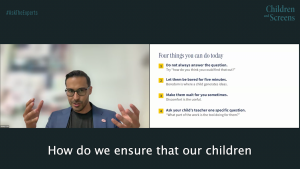
Four Simple Ways to Support Kids' Thinking Skills in the Age of AI
From the #AskTheExperts webinar “Raising Independent Thinkers in the Age of AI”
“I’ve let screens take over”: Maternal Guilt About Media and Relations to Children's Problematic Media Use